Step 12 - Protect Arcadia API
Context
As a reminder, in Steps 9 and 10, we deployed NAP in CentOS.
Step 9 manually
Step 10 via CI/CD pipelines
The Arcadia web application has several APIs in order to:
Buy stocks
Sell stocks
Transfer money to friends
In order to protect these APIs, we will push (or pull) an OpenAPI specification file into NAP so that it can build the WAF policy from this file.
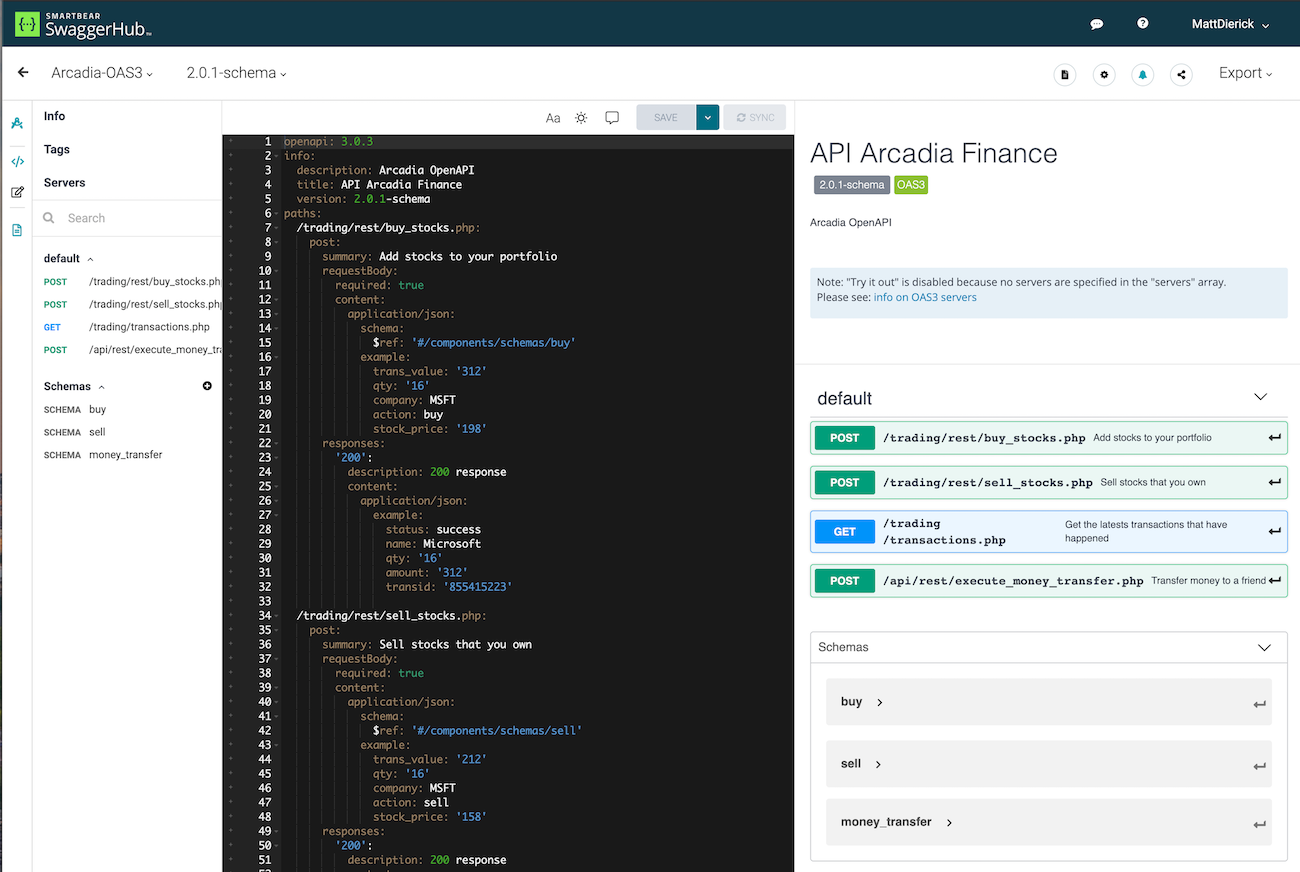
You can find the Arcadia Application OAS3 file here : https://app.swaggerhub.com/apis/F5EMEASSA/Arcadia-OAS3/2.0.1-schema
Note
As you can notice, there are 4 URLs in this API. And a JSON schema has been created so that every JSON parameter is known.
Steps for the lab
SSH from Jumpbox commandline
ssh centos@10.1.1.10(or WebSSH) toApp Protect in CentOSGo to
cd /etc/nginx
lsand check the files created during the previous CI/CD pipeline job[centos@ip-10-1-1-7 nginx]$ ls app-protect-log-policy.json conf.d koi-utf mime.types NginxApiSecurityPolicy.json nginx.conf.orig NginxStrictPolicy.json uwsgi_params app-protect-security-policy.json fastcgi_params koi-win modules nginx.conf NginxDefaultPolicy.json scgi_params win-utfNote
You can notice a NAP policy
NginxApiSecurityPolicy.jsonexists. This is template for API Security. We will use it.Edit
sudo vi NginxApiSecurityPolicy.jsonand modify it with thelinkto the OAS file for Arcadia API. This file resides in SwaggerHub. Don’t forget the {}{ "policy" : { "name" : "app_protect_api_security_policy", "description" : "NGINX App Protect API Security Policy. The policy is intended to be used with an OpenAPI file", "template": { "name": "POLICY_TEMPLATE_NGINX_BASE" }, "open-api-files" : [ { "link": "https://api.swaggerhub.com/apis/F5EMEASSA/Arcadia-OAS3/2.0.1-schema/swagger.json" } ], "blocking-settings" : { "violations" : [ { ...Now, edit
sudo vi nginx.confand modify it as below. We refer to the new WAF policy created previouslyuser nginx; worker_processes auto; error_log /var/log/nginx/error.log notice; pid /var/run/nginx.pid; load_module modules/ngx_http_app_protect_module.so; events { worker_connections 1024; } http { include /etc/nginx/mime.types; default_type application/octet-stream; sendfile on; keepalive_timeout 65; log_format main '$remote_addr - $remote_user [$time_local] "$request" ' '$status $body_bytes_sent "$http_referer" ' '"$http_user_agent" "$http_x_forwarded_for"'; access_log /var/log/nginx/access.log main; server { listen 80; server_name localhost; proxy_http_version 1.1; app_protect_enable on; app_protect_policy_file "/etc/nginx/NginxApiSecurityPolicy.json"; app_protect_security_log_enable on; app_protect_security_log "/etc/nginx/log-default.json" syslog:server=10.1.20.11:5144; location / { resolver 10.1.1.8:5353; resolver_timeout 5s; client_max_body_size 0; default_type text/html; proxy_pass http://k8s.arcadia-finance.io:30274$request_uri; } } }Now, restart the NGINX service
sudo systemctl restart nginx
Test your API
RDP to Windows Jumphost with credentials
user:userOpen
Postman`Open Collection
Arcadia API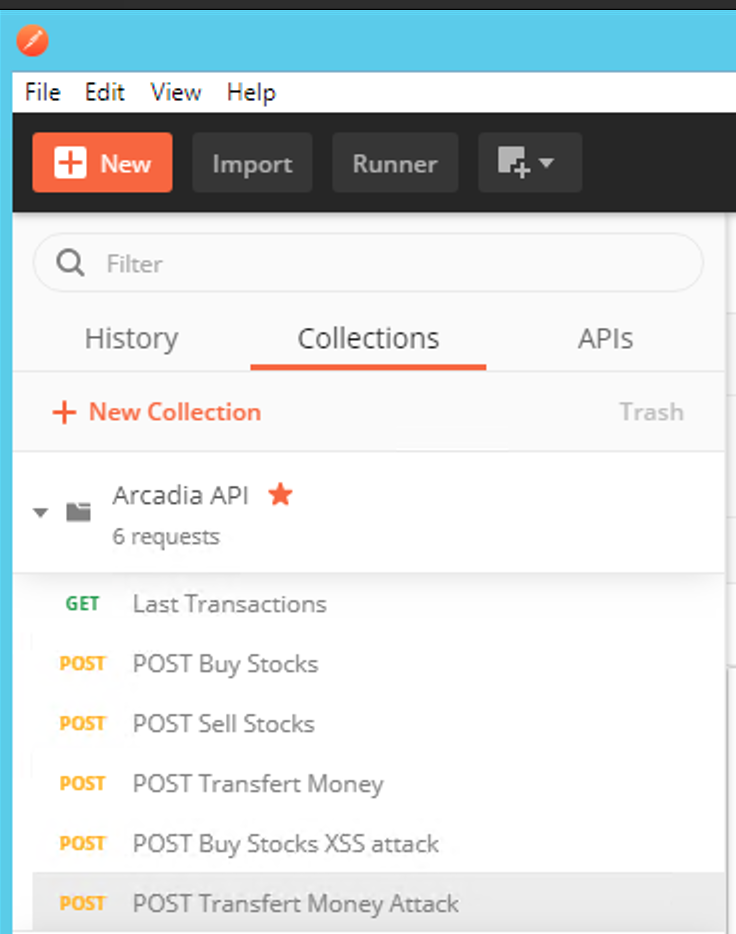
Send your first API Call with
Last Transactions. You should see the last transactions. This is just a GET.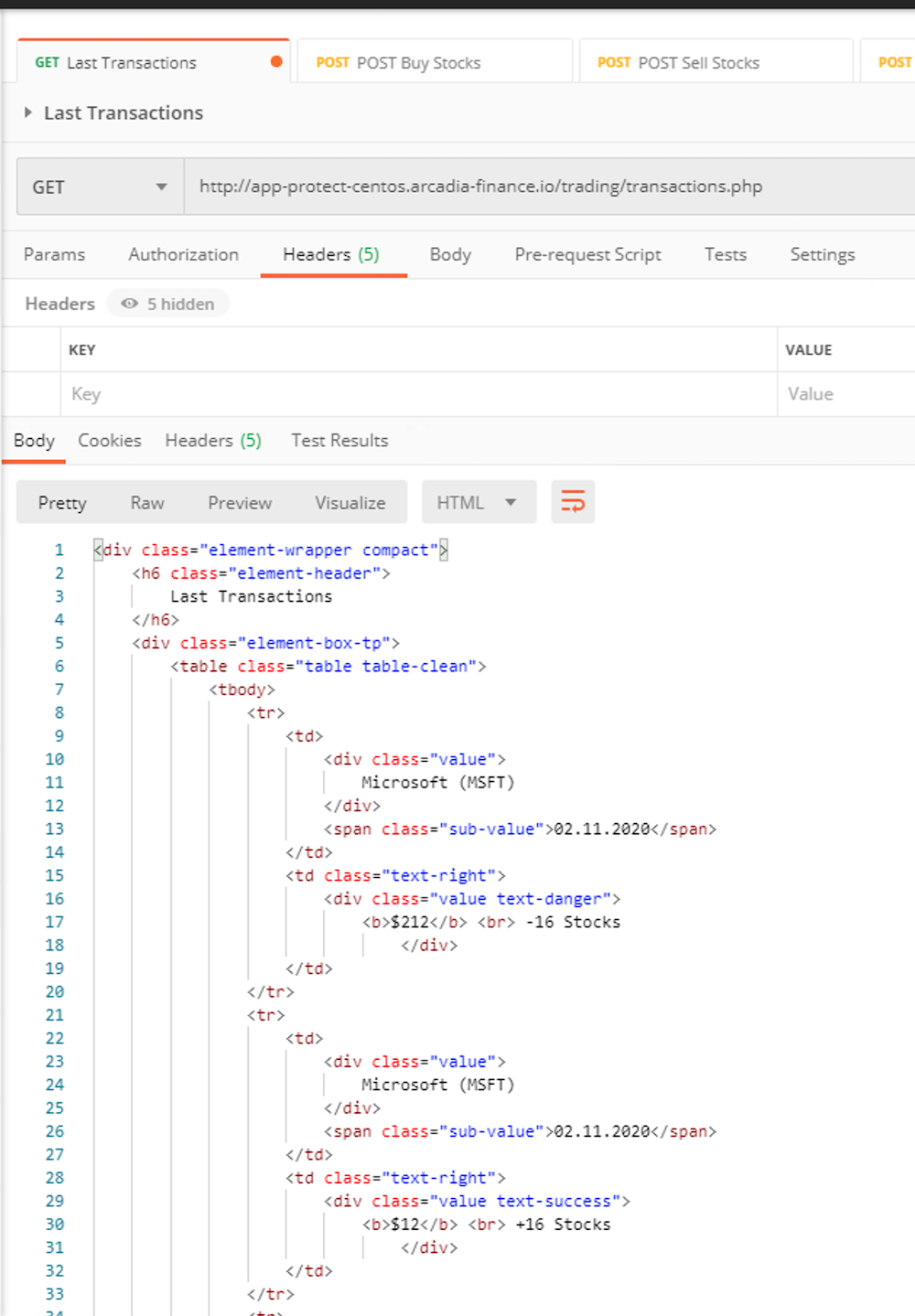
Make sure the URL is
http://app-protect-centos.arcadia-finance.io/trading/transactions.phpNow, send a POST, with
POST Buy Stocks. Check the request content (headers, body), and compare with the OAS3 file in SwaggerHub.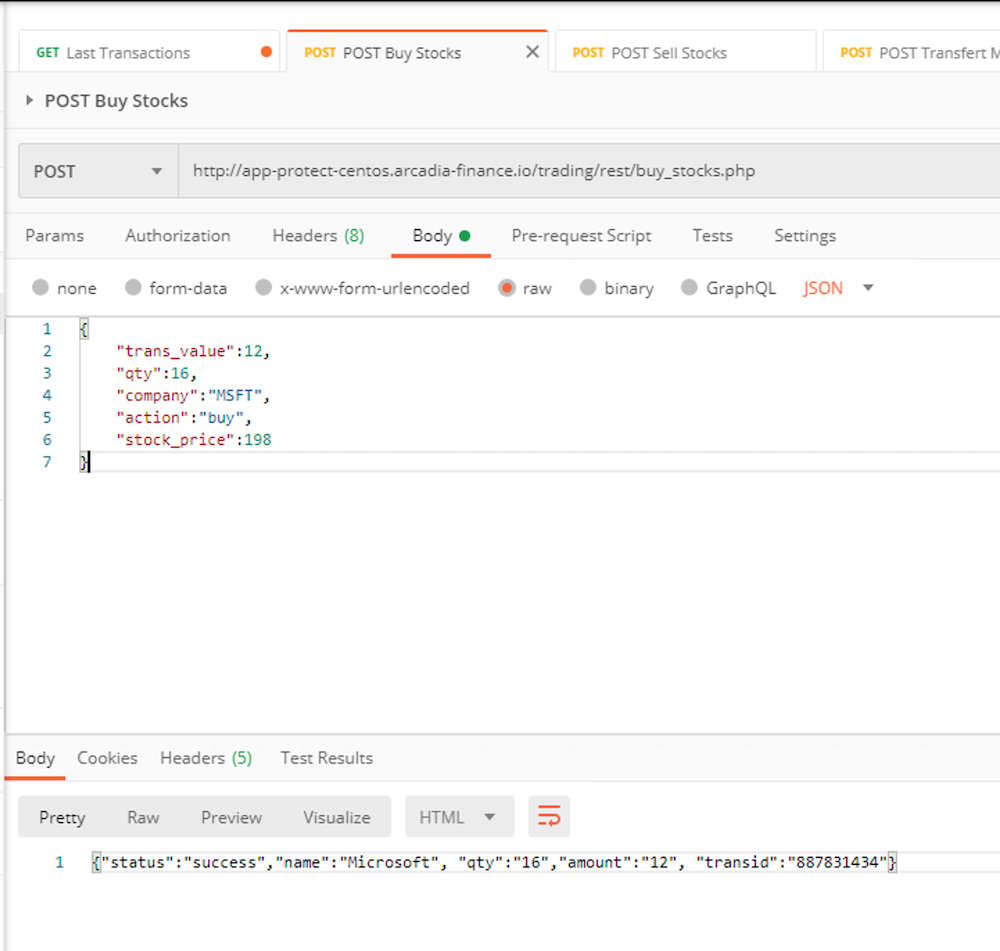
Last test, send an attack. Send
POST Buy Stocks XSS attack. Your request will be blocked.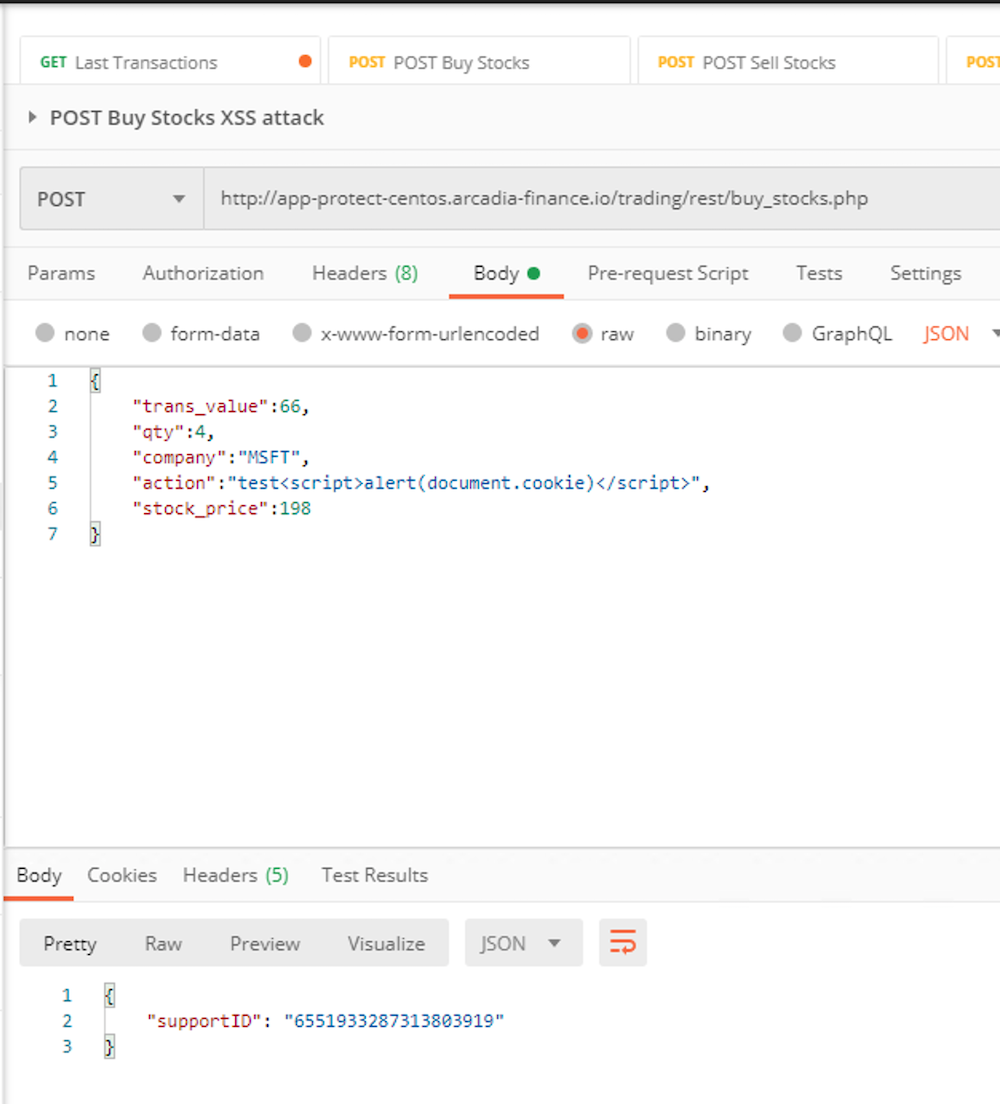
Check in ELK the violation.
You can make more tests with the other
API calls