NGINX App Protect

Contents:

  • Class 1 - Deploy modern application with modern tools
  • Class 2 - Protect Arcadia with NGINX App Protect in Docker
  • Class 3 - Protect Arcadia with NGINX App Protect in Linux host
  • Class 4 - Protect Arcadia with NGINX App Protect in Kubernetes Ingress Controller
  • Class 5 - API Security
  • Class 6 - Advanced features

On this page:
  • Welcome to NGINX APP Protect lab guide Dev
    • Publish and protect modern applications
  • CloudDocs Home > NGINX App Protect > Welcome to NGINX APP Protect lab guide Dev

Version notice:

Welcome to NGINX APP Protect lab guide Dev

Publish and protect modern applications

Warning

For any remark or mistake in this lab, please send a Teams chat to Matthieu DIERICK.
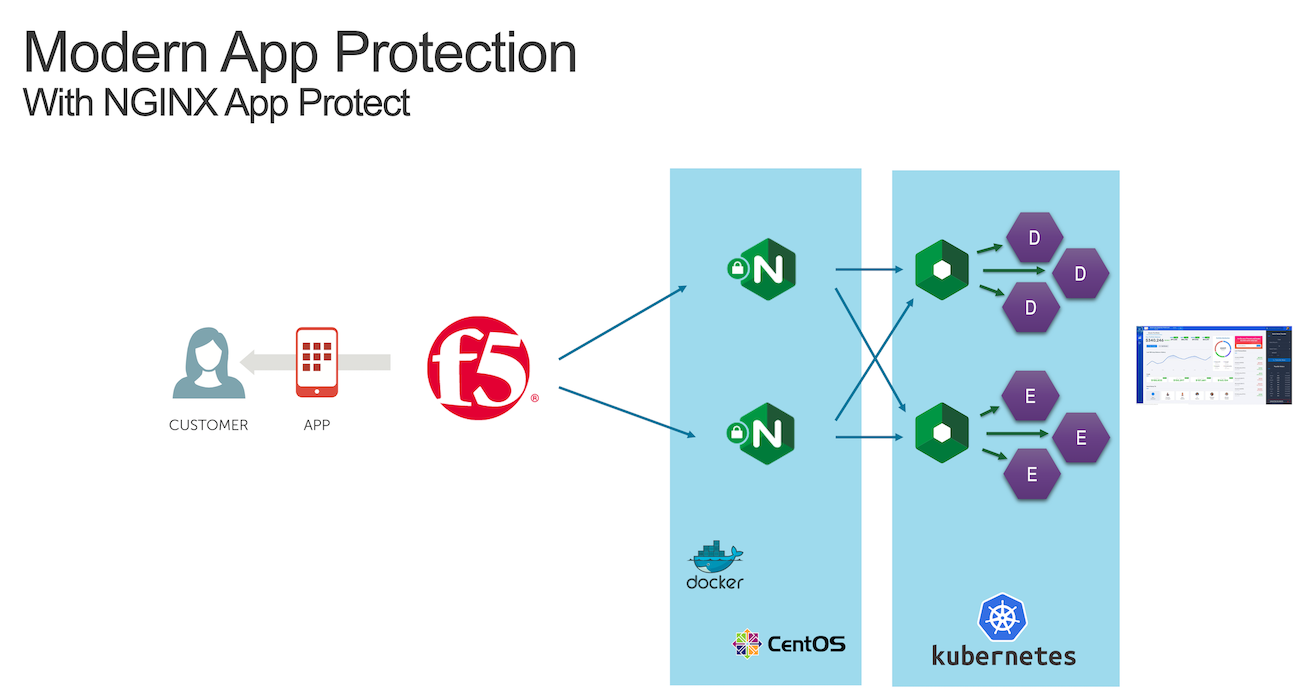
_images/NAP_index1.png

Contents:

  • Class 1 - Deploy modern application with modern tools
    • Architecture of Arcadia Application
    • Step 1 - Deploy and publish Arcadia Finance application in Kubernetes
    • Step 2 - Publish Arcadia app with a NGINX Plus Ingress Controller
  • Class 2 - Protect Arcadia with NGINX App Protect in Docker
    • Step 3 - Build your first NAP (NGINX App Protect) Docker image
    • Step 4 - Update the Docker image with the latest WAF signatures
    • Step 5 - Update the Docker image with the Threat Campaign package
    • Step 6 - Check logs in Kibana
    • Step 7 - Customize the WAF policy
    • Step 8 - Deploy NAP with a CI/CD toolchain
  • Class 3 - Protect Arcadia with NGINX App Protect in Linux host
    • Step 9 - Install the NGINX Plus and App Protect packages manually
    • Step 10 - Deploy App Protect via CI/CD pipeline
  • Class 4 - Protect Arcadia with NGINX App Protect in Kubernetes Ingress Controller
    • Step 11 - Deploy a new version of the NGINX Plus Ingress Controller
  • Class 5 - API Security
    • Step 12 - Protect Arcadia API
  • Class 6 - Advanced features
    • Step 13 - Bot Protection
    • Step 14 - Cryptonice
    • Step 15 - A.WAF/ASM Policy Converter
    • Step 16 - Protect gRPC Services
Next